UK AI Desk Robots for Teens With Better Battery Life
A parent-focused guide to AI desk robots for teens in the UK, covering battery life, charging habits, app dependence, noise, privacy, subscriptions and whether premium models justify the upkeep.
Compare prices and availability
Check current prices and availability for this guide on eBay.
As an eBay Partner, we may be compensated if you make a purchase.
AI desk robots aimed at teenagers now range from simple animated companions to cloud-connected devices that answer questions, recognise voices, react to movement and support coding activities. The biggest difference for many families is not personality or novelty features but how much upkeep the robot requires once the excitement wears off. Battery life, charging frequency, app dependence and noise levels can turn a fun desk companion into something that stays switched off in a drawer. In the UK market, most AI desk robots for teens fall into three broad groups: compact conversational companions, programmable coding robots and expressive desktop pets with app-connected features. Each has different trade-offs around privacy, subscriptions, offline usefulness and long-term support.
What to look for
Battery life matters more than advertised standby figures. Many desk robots spend most of their time listening for commands, maintaining Wi-Fi connections or running animated movements, which can reduce practical runtime. A robot that works mainly offline or uses simpler movement systems will usually need less charging than one with cameras, constant voice recognition or cloud-based AI tools. Noise is another overlooked issue. Small robots often use tiny motors and cooling fans that can sound louder in a quiet bedroom than parents expect, especially during charging or movement routines.
- Check whether the robot still works offline or loses most features without an app or internet connection.
- Look for USB-C charging or common charging cables to avoid proprietary accessories.
- Consider where microphones and cameras are used and whether recording settings can be disabled.
- Check if voice commands rely on cloud processing or subscriptions after a trial period.
- Programmable coding robots often have longer battery life because they use fewer always-on AI features.
- Desk pets with expressive screens and frequent movement usually need more regular charging.
- Think about storage space and durability if the robot will move between school desks, bedrooms and shared family rooms.
- Some robots receive app updates for years while others lose support quickly once newer versions launch.
Age suitability
Most AI desk robots marketed to teenagers suit ages 13 and up because they involve app setup, account creation, Wi‑Fi connections or coding features that younger children may struggle to manage independently. Teens who enjoy customisation, STEM projects or desktop gadgets are more likely to keep using them beyond the novelty stage. These robots are less suitable for families wanting fully screen-free play because setup and updates usually happen through a smartphone, tablet or computer. They also work best for teens with a stable desk setup rather than younger children likely to carry them around frequently or use them roughly.
Options compared
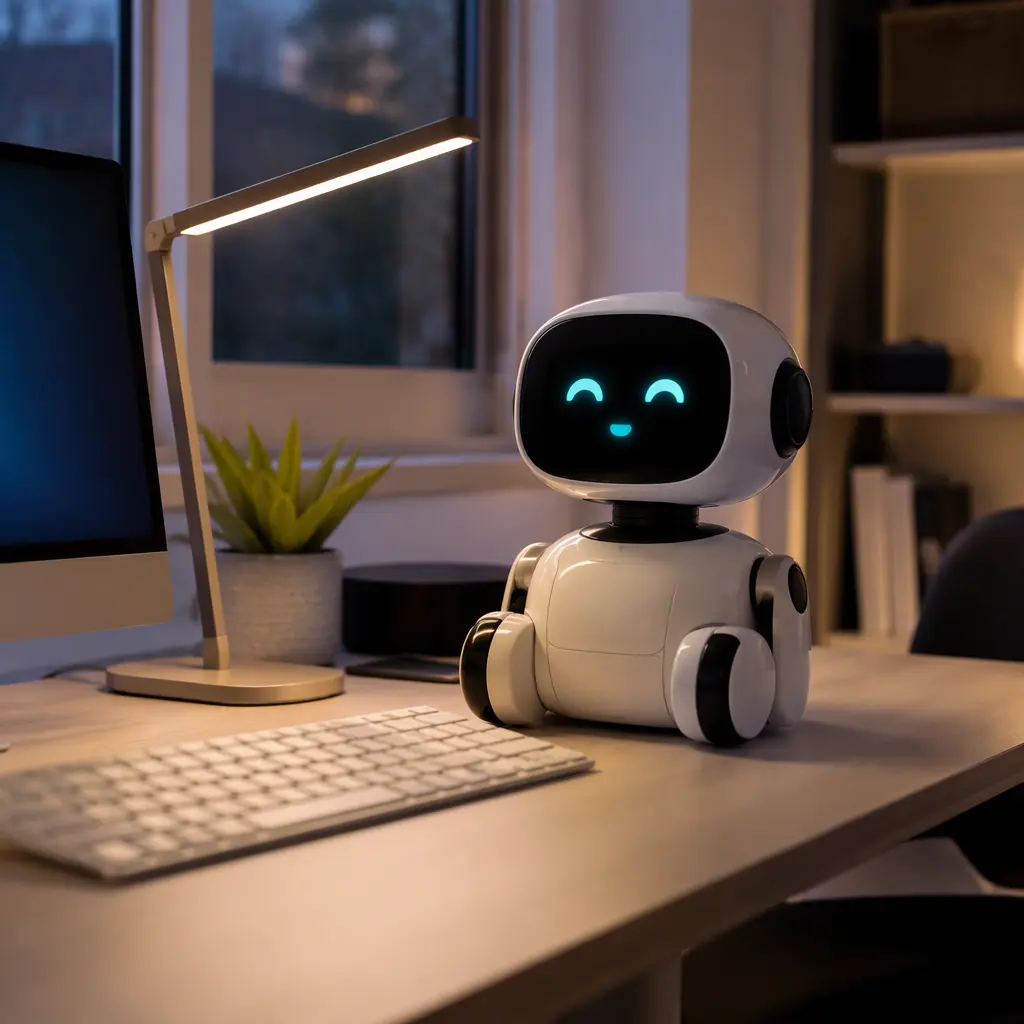
Compact conversational robots such as Loona-style robot pets and similar AI companions focus on interaction and personality. These are usually the most engaging for teens who want a responsive desktop companion rather than a coding project. They may recognise voices, react to touch or movement and connect to large-language-model features through apps or cloud services. The trade-off is upkeep. Robots with cameras, roaming movement and AI chat systems typically consume more battery power and may require daily or near-daily charging with active use. They also depend heavily on manufacturer apps and internet services, so long-term usefulness depends on ongoing support.
Coding-focused robots from brands such as Sphero, Makeblock or LEGO robotics families usually offer better battery efficiency and quieter operation because they prioritise sensors, motors and programmable activities over continuous AI conversation. These suit teens interested in engineering, coding or school STEM projects. They are often more durable and easier to store, though less emotionally expressive. Some can still perform limited AI-style tasks such as object sensing or voice-triggered routines without relying on constant cloud processing. For families worried about privacy or subscription costs, these are often the lower-maintenance option.
- Conversational AI companions: more personality and interaction, but usually shorter battery life and heavier app dependence.
- Coding robots: better for STEM learning, often quieter and longer-lasting between charges.
- Desktop pet robots: designed for companionship and room decoration, but may rely on cloud services for advanced features.
- Wi‑Fi-connected robots: more capable updates and AI features, but less useful during outages or discontinued support.
- Bluetooth-only robots: simpler setup and usually lower power use, though with fewer smart features.
- Premium robots can justify their higher upkeep if a teen regularly uses coding, voice interaction or creative tools rather than treating the robot as a novelty item.
Frequently asked questions
Do AI desk robots work without the internet?
Some do, but often with reduced features. Coding robots and simpler companion robots may still run stored routines, movements or games offline. Cloud-connected AI companions usually lose voice chat, advanced recognition or app syncing when disconnected. Parents should check whether basic functions remain available before buying.
How often do these robots need charging?
Charging frequency depends on movement, screen brightness, Wi‑Fi use and how much AI processing happens online. Small companion robots with active personalities and roaming movement often need charging more frequently than coding-focused robots used for shorter sessions. Practical battery life is usually shorter than standby estimates in marketing materials.
Are premium AI robots worth the extra cost?
Higher-priced robots can offer smoother movement, better microphones, stronger app ecosystems and more natural interactions. Whether that value lasts depends on how the teen plans to use it. A teenager interested in coding, robotics or AI experimentation may benefit from deeper features, while casual users may lose interest quickly regardless of price.
What should parents know about subscriptions and apps?
Some AI robots include optional subscriptions, credit systems or paid AI features after setup. Others require app accounts for firmware updates and voice tools. It is useful to check whether the robot still performs meaningful functions without ongoing payments and whether the companion app is available and supported in the UK.
Are desk robots noisy?
Noise levels vary widely. Robots with wheels, expressive head movements or active cooling systems can produce noticeable motor sounds on wooden desks. Coding robots and stationary desktop assistants are often quieter. If the robot will sit in a bedroom used for studying, quieter movement and adjustable volume settings are worth prioritising.
For most families, the best AI desk robot is the one a teenager can use independently without constant charging, complicated setup or recurring costs becoming frustrating. Coding-oriented robots generally offer the easiest long-term ownership with lower maintenance and stronger offline use, while premium conversational companions provide more personality but demand more charging and app support. Checking how much the robot can still do without the cloud, how noisy it becomes during regular use and whether replacement support exists in the UK can make a bigger difference than headline AI features alone.