Best AI Desk Robots for Teens Without Always-On Cameras
A UK-focused guide to AI and smart desk robots for teens that avoid always-on cameras, with practical advice on privacy, offline use, subscriptions, noise and app dependence.
Compare prices and availability
Check current prices and availability for this guide on eBay.
As an eBay Partner, we may be compensated if you make a purchase.
AI desk robots aimed at teenagers sit somewhere between a gadget, a study companion and a programmable toy. Some focus on conversation and personality, while others are closer to coding kits or animated desktop pets. For parents shopping in the UK, privacy and offline usefulness are often the deciding factors. Many connected robots rely heavily on cloud processing, smartphone apps and microphones, while a smaller group can still deliver useful interaction without constant camera monitoring or permanent internet access. The most practical options for teens usually balance entertainment with clear controls over data collection, manageable noise levels and enough offline features to stay useful if the app stops being supported later.
What to look for
The term "AI robot" covers a wide range of products. Some genuinely use cloud-based language models or adaptive responses, while others mainly use preset animations, voice triggers or simple sensors. For families trying to avoid always-on cameras, it helps to separate robots with optional vision features from those designed primarily around microphones, touch sensors or offline coding functions. A desk robot that still works as a timer, music controller, coding tool or interactive pet without permanent internet access will usually age better than one tied closely to a subscription service.
- Check whether cameras are optional, physically removable or absent entirely. Some robots use only microphones and movement sensors.
- Look for clear mute controls and visible microphone indicators so teens know when the robot is listening.
- Offline features matter. Coding games, movement routines and local voice commands are often more reliable than cloud-only chat features.
- Confirm app compatibility with UK iOS and Android devices before buying. Some imports have limited regional support.
- Watch for subscription models or AI credit systems. Certain conversational features may require ongoing payments after a trial period.
- Consider desk space and storage. Wheeled robots and docking stations can take up more room than expected in smaller bedrooms.
- Noise levels vary widely. Robots with motors, dance routines or loud speakers may become distracting during homework or shared-room use.
- Battery life and charging style matter for everyday use. USB-C charging is increasingly common and easier for teens to manage.
Age suitability
Most AI desk robots marketed at ages 13 and up are best suited to teens who already enjoy tech hobbies, coding, digital pets or collectible gadgets. Conversation-focused robots can appeal to socially curious teens, but they are rarely a substitute for a phone, laptop or smart speaker. Coding-oriented robots suit teens interested in STEM subjects because they provide a more hands-on experience without depending entirely on chat features. Parents of younger teens may prefer robots with simplified controls and stronger parental settings, while older teens are more likely to value customisation and app integrations. Families looking for fully screen-free play may find these products too app-dependent, although some coding robots still support meaningful offline interaction once set up.
Options compared
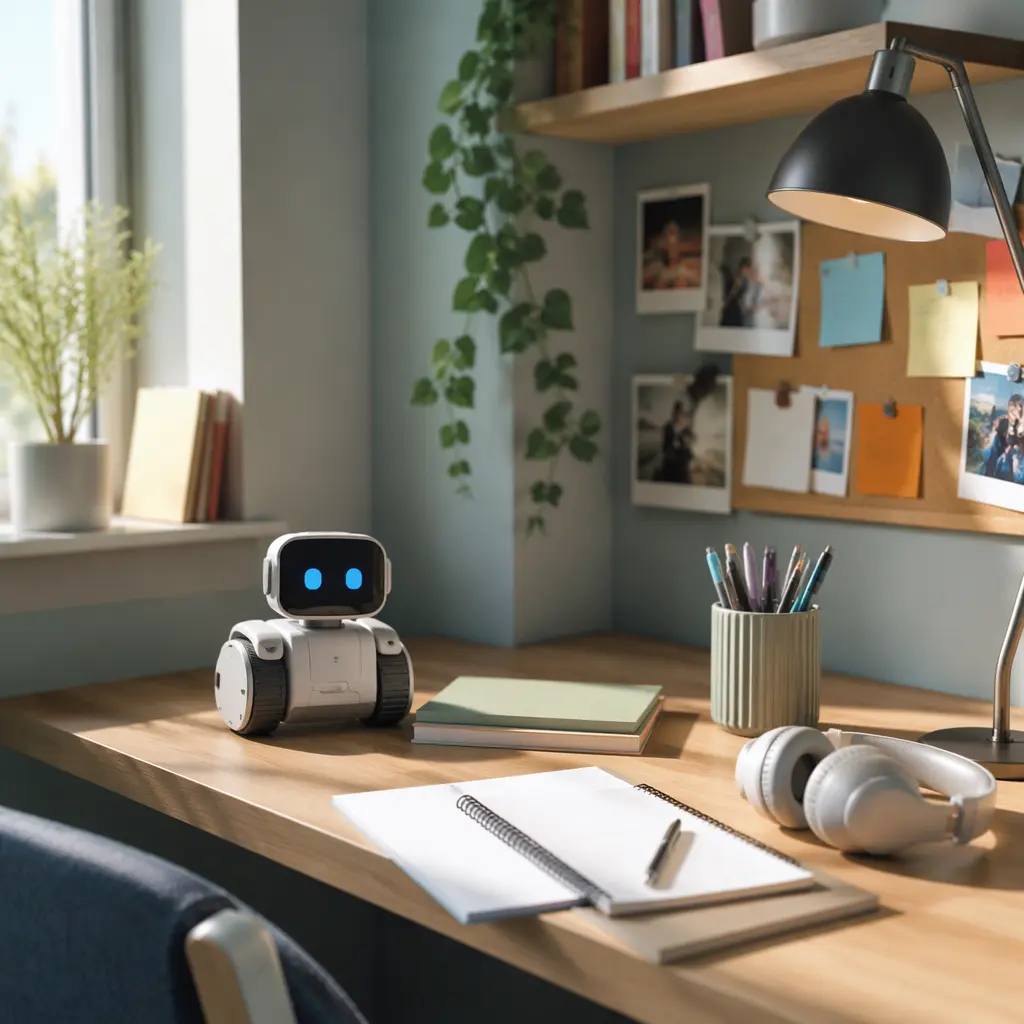
Privacy-focused desk robots generally fall into three categories. The first is the coding robot category, including products from brands such as Sphero and Makeblock. These usually prioritise movement, sensors and programmable behaviours over conversation. They often work well offline after setup and can stay useful for years because the core activity is coding rather than cloud AI. The trade-off is that they may feel more educational than companion-like, which will not suit every teen.
The second category includes companion robots with expressive faces or personalities but limited or optional vision systems. Products in this group may respond to voice commands, react to touch or display animated emotions. They can feel more engaging on a desk during study sessions, but parents should check whether advanced chat features depend on cloud services or subscriptions. Some companion robots become far less interesting without internet access, while others still support alarms, music control or simple games offline.
The final category is app-first AI companions that rely heavily on smartphone connectivity and remote servers. These often advertise advanced conversation or learning abilities, but they may involve larger privacy trade-offs, shorter support lifespans and more dependence on ongoing updates. For families specifically avoiding always-on cameras, these are usually the least suitable unless the hardware includes clear physical privacy controls such as lens covers or removable modules.
- Coding robots: Best for STEM-focused teens, quieter bedrooms and longer-term usefulness. Less conversational and usually less emotionally engaging.
- Companion desk pets: Best for teens who want personality and casual interaction without a full smart display. Check app dependence carefully.
- Cloud-heavy AI companions: Best for teens specifically interested in conversational AI experimentation. Usually require stronger parental oversight regarding privacy and subscriptions.
- Animatronic desktop toys: Often marketed as AI despite using simpler sensors and preset reactions. Usually lower privacy risk but also less adaptable.
Frequently asked questions
Do desk robots work without Wi-Fi?
Some do, but the level of functionality varies significantly. Coding robots often keep their main features offline once apps and updates are installed. Conversational AI robots are more likely to lose chat functions without internet access because speech processing happens in the cloud. Manufacturer descriptions sometimes mention offline play, but parents should confirm exactly which features remain available.
Are microphones less risky than cameras?
For many families, yes, particularly in bedrooms or study areas. A robot without a camera avoids continuous visual monitoring concerns. However, microphones still involve privacy considerations because voice clips may be processed remotely. Clear mute buttons, visible listening indicators and transparent privacy policies are useful signs of a more parent-friendly design.
Can AI desk robots help with homework?
Some can support organisation through timers, reminders or simple conversational prompts, but most are still entertainment devices first. Coding robots can encourage problem-solving and programming skills, while conversational robots may offer limited educational interactions. They are not replacements for supervised internet research or school-approved study tools.
What happens if app support ends?
This is an important issue with connected toys. Robots that rely heavily on cloud servers or companion apps can lose features if support is withdrawn. Products with strong offline coding modes, manual controls or standard Bluetooth connections are generally safer long-term choices. Checking whether firmware updates are still active for older models can also give clues about manufacturer support habits.
Are these robots suitable for shared bedrooms?
It depends on motor noise, lighting effects and voice interaction. Small coding robots are often quieter than personality-focused companions with speakers and animated reactions. If a teen shares a room, volume controls, headphone support and scheduled quiet modes can make a noticeable difference.
For most UK families looking for a privacy-conscious choice, the safest balance usually comes from robots that combine limited smart features with useful offline play. A desk robot does not need constant cloud conversation or always-on cameras to stay engaging. Teens who enjoy coding, customisation or animated desktop gadgets can still get plenty of value from products that place more control in the user’s hands and less reliance on permanent data collection.